 597 ↓
597 ↓ RANGER INTERSTELLAR ADVANCED SYSTEMS
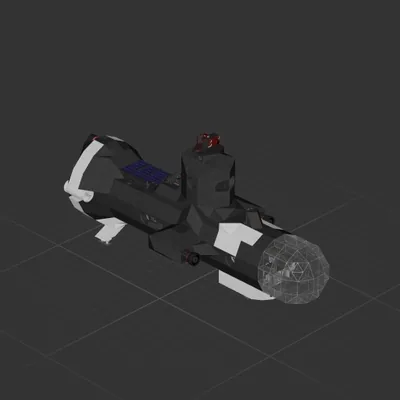
Cruiser
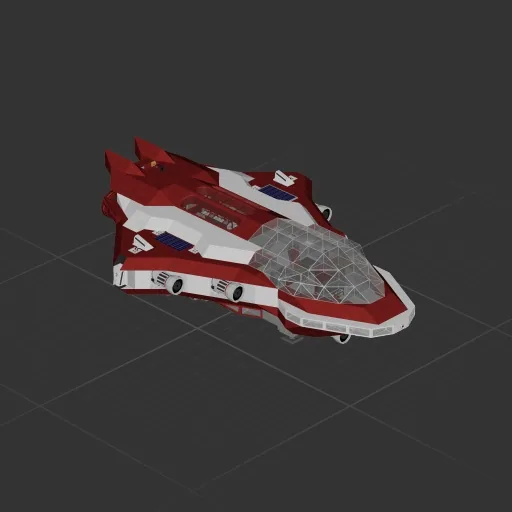
Heavily inspired by Soulllevisky's Halo Interceptor. Made the trip to Aundara. Features auto-stabilization and auto-hover. Auto-hover setpoint (KP) needs to be adjusted for planets other than Earth / Aundara. See labeling for KP inputs for Earth / Aundara. When auto-hover is on, use "hover vert" throttle to set desired vertical speed. Zero is default for no vertical movement. Auto-stabilization switch can be left on, use slider to the left of pilot's seat - "0" on the slider to negate any effect, increase slider to increase response from the ship. Keep this b/w 1 and ~10 or so or the ship will (literally) flip the fuck out. Effectively, with auto-hover and auto-stabilization active on this ship (provided you haven't changed weight or thrust), you should be able to maintain your heading with very minor [manual] pitch adjustments. I've been successful with this keeping auto-stability between 1 and ~5 with auto-hover switched on @ 0 vert throttle. UPDATE 8/18: - Added zoom camera (right hand screenwith target overlay) + zoom control next to pilot seat - Added rear camera - Added camera controls labeling - Upgraded to Medium Gate - Added Solar panels x2 and rechargable batteries 2x - Separated rear circuits to address grid overload risk when running both full tilt lift + full tilt thrusters - Added orange signs at back interior of ship with coding for current wireless transmitter frequencies
597 ↓ Cruiser
 161 ↓
161 ↓ Cruiser
 136 ↓
136 ↓ Cruiser
Cruiser