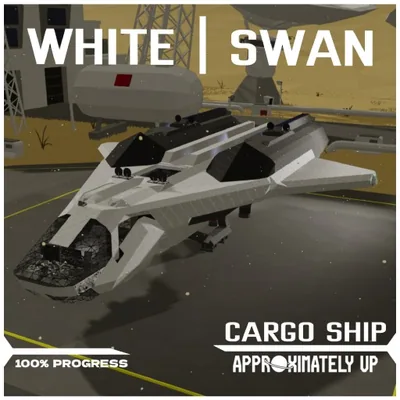
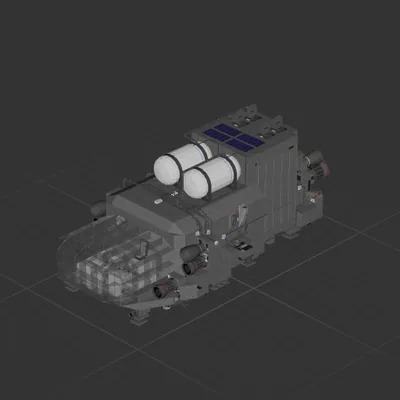
*WORK IN PROGRESS* *Fuel is broken*
Please do not reupload this blueprint.
UPDATE: 8/10 (Improved flight distance and battery balance)
Self-Learning auto-hover (Courtesy of SANTXC YouTube)
This auto-hover allows you to take the ship to any planet with any atmosphere/gravity and the ship will learn and adapt.
To do this, set the hover to around 7 (=700 meters) and allow the ship to reach that height. That's it! She's ready to fly.
it also includes OTF adjustments, meaning you can take over the lift at any time.
Now with BPS, a 5-camera switchboard with front/rear night vision and zoom cameras, and a full array of sensors displayed on two monitors!
2-Way doors all around.
Take it for a spin! While it has not yet been completed, you can still get a taste of what it can do!
How to install this ship
Download the ZIP.Every download contains two files with matching names — a .bp and a .bpmeta. You need both: the .bp is the ship, the .bpmeta holds its name. A .bp on its own will not appear in the game.
Unzip into the Blueprints folder.Paste %USERPROFILE%\AppData\LocalLow\ApproximatelyGames\ApproximatelyUp\Blueprints into Explorer's address bar and drop both files there. Keep their filenames exactly as they are — the game pairs them by name.
Restart and open the blueprint menu.The game reads the folder on startup, so restart it. Open the blueprint menu, find the ship by its name and load it. Test it next to a garage before flying a mission.