AU Ships

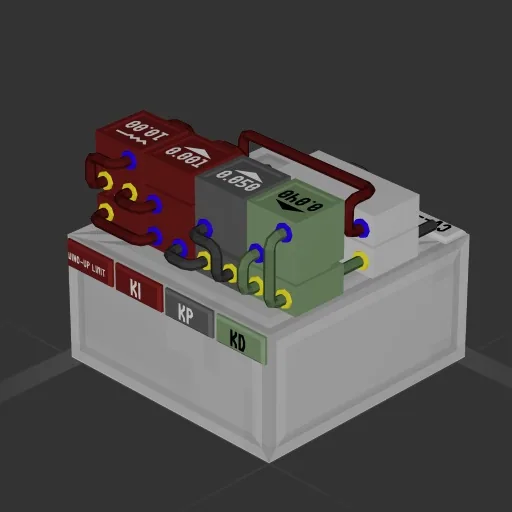
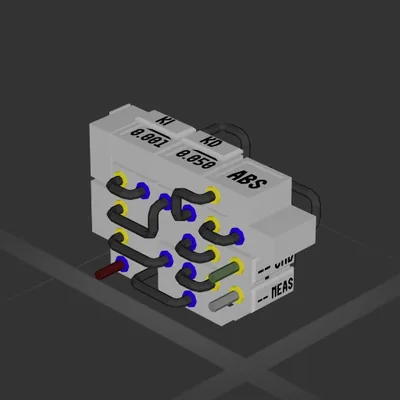
Slickest PID (fits in one frame!)

Workshop author: Duno9 · Steam ↗

System System Small

Slickest PID (fits in one frame!)

Specifications

79 Parts
13 Part types
0 Engines
57 Cable cells
1 Frames
21 Equipment parts

Engine mix

This build has no engines — it's a hull, a system or a section.

Equipment

  • Logic circuits 9

Most used parts

  • Data Cable 57
  • Label 6
  • Constant 3
  • Multiplier 3
  • Adder 2
  • Frame Full 1
  • Simple Threshold 1
  • Accumulator 1

Author's description

This PID is veery slick. Look at how slick the shapes are. The slickness on this thing is incredibly slick. The anti-windup is slick because you can see the threshold and tune it. It fits entirely in a frame which is slick as hell. There is even quite a bit of space left for wireless controllers, which would be even more slick if you got em. The tuning is standard for velocity control but understand that if you got a significantly higher or lower thrust to weight ratio than normal you could see instability. I've used it for altitude control too, but that takes very different tuning. Please enjoy my very slick PID and thanks for your attention to the matter.

How to install this ship

  1. Download the ZIP. Every download contains two files with matching names — a .bp and a .bpmeta. You need both: the .bp is the ship, the .bpmeta holds its name. A .bp on its own will not appear in the game.
  2. Unzip into the Blueprints folder. Paste %USERPROFILE%\AppData\LocalLow\ApproximatelyGames\ApproximatelyUp\Blueprints into Explorer's address bar and drop both files there. Keep their filenames exactly as they are — the game pairs them by name.
  3. Restart and open the blueprint menu. The game reads the folder on startup, so restart it. Open the blueprint menu, find the ship by its name and load it. Test it next to a garage before flying a mission.

Similar ships