This build has no engines — it's a hull, a system or a section.
Equipment
Logic circuits 3
Most used parts
Data Cable19
Label4
Condition2
Constant2
Large Label1
Accumulator1
Subtractor1
Sign Splitter1
Author's description
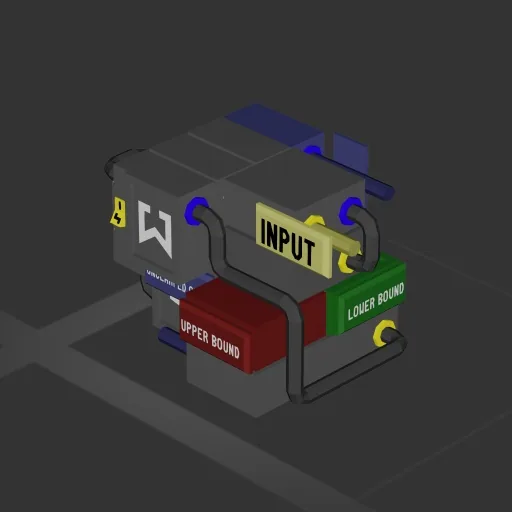
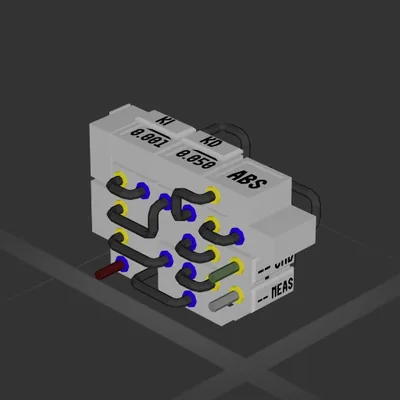
This circuit is can be used for controlling accumulator with joystick, useful for Rotational camera or floodlight among other things.
It will make sure that accumulator does not keep going up/down past specified limits.
User has to change upper bound and lower bound constants for specific usecase, the input also has a fader which can be adjusted for sensitivity.
The remapper on clamed output is optional and is there to clamp accumulator when it goes slightly out of bounds, it should have same values as upper/lower bound constants.
How to install this ship
Download the ZIP.Every download contains two files with matching names — a .bp and a .bpmeta. You need both: the .bp is the ship, the .bpmeta holds its name. A .bp on its own will not appear in the game.
Unzip into the Blueprints folder.Paste %USERPROFILE%\AppData\LocalLow\ApproximatelyGames\ApproximatelyUp\Blueprints into Explorer's address bar and drop both files there. Keep their filenames exactly as they are — the game pairs them by name.
Restart and open the blueprint menu.The game reads the folder on startup, so restart it. Open the blueprint menu, find the ship by its name and load it. Test it next to a garage before flying a mission.
 387 ↓
387 ↓