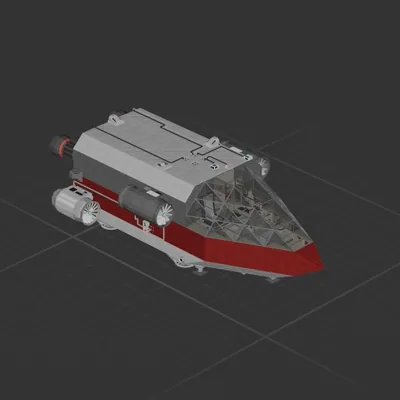
Planeteer v1.5
Perfect for getting to and finding the Andara bases for the Missions to get there with the Med Ele Thruster and the Sub
Flick the switch to 0 if you dont have the sub
You might need to raise it off the floor becu.. you'll see.
Missions:
Drop The Depth Diver
Trial By Thrust (Delete the sub and flick switch)
How?:
To use the RCS, turn OFF the Gyroline
Point at Andara and put the Alt(constant) at 4k
and let the Auto BPS/Hover system take you there.
!! Be sure to put the Altitude at 4k so you dont fall out of the sky when you arrive!!
Ctr+g to get in
1 is Auto BPS/Hover 2 is manual control
To Hover:
Turn on the gyro and select the altitude
To Land:
Go to 5k, turn OFF the gyro, point at landing spot, go to 10 meters, turn on gyro around 100 meters. For longer ranges go higher and stop longer(100k>10k is what i do)
I call this Bretheing
How to install this ship
Download the ZIP.Every download contains two files with matching names — a .bp and a .bpmeta. You need both: the .bp is the ship, the .bpmeta holds its name. A .bp on its own will not appear in the game.
Unzip into the Blueprints folder.Paste %USERPROFILE%\AppData\LocalLow\ApproximatelyGames\ApproximatelyUp\Blueprints into Explorer's address bar and drop both files there. Keep their filenames exactly as they are — the game pairs them by name.
Restart and open the blueprint menu.The game reads the folder on startup, so restart it. Open the blueprint menu, find the ship by its name and load it. Test it next to a garage before flying a mission.