AU Ships

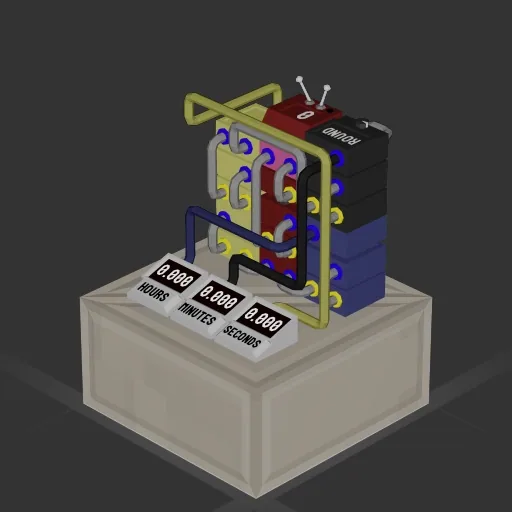
Easy Battery Timer

Workshop author: Boktor · Steam ↗

System System Small

Easy Battery Timer

Specifications

110 Parts
11 Part types
0 Engines
89 Cable cells
1 Frames
20 Equipment parts

Engine mix

This build has no engines — it's a hull, a system or a section.

Equipment

  • Logic circuits 9
  • Wireless links 1

Most used parts

  • Data Cable 89
  • Constant 4
  • Divider 3
  • Data Router 2 3
  • Datameter 3
  • Modulo 2
  • Round 2
  • Frame Full 1

Author's description

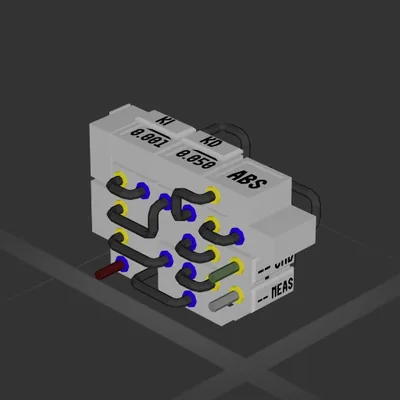
Function: This simple system measures the amount of time left with current battery usage. Current usage is updated every second. Size: Fits easily inside a whole 1x1 block. Instructions: All you have to do is simply input your battery level into the pink block. In this blueprint a wireless transmitter is used, but a cable can be used instead. The cables to the timers can be easily adjusted for your needs. Also, wireless transmitters can be used. Example: Say you want to know how long your propulsion system will last. Take the battery level of the batteries that are powering your thrusters and hook them up to the system. The timers will display time left with current usage in hours minutes and seconds.

How to install this ship

  1. Download the ZIP. Every download contains two files with matching names — a .bp and a .bpmeta. You need both: the .bp is the ship, the .bpmeta holds its name. A .bp on its own will not appear in the game.
  2. Unzip into the Blueprints folder. Paste %USERPROFILE%\AppData\LocalLow\ApproximatelyGames\ApproximatelyUp\Blueprints into Explorer's address bar and drop both files there. Keep their filenames exactly as they are — the game pairs them by name.
  3. Restart and open the blueprint menu. The game reads the folder on startup, so restart it. Open the blueprint menu, find the ship by its name and load it. Test it next to a garage before flying a mission.

Similar ships