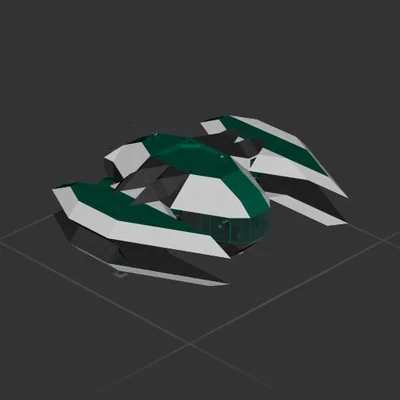
AU Ships

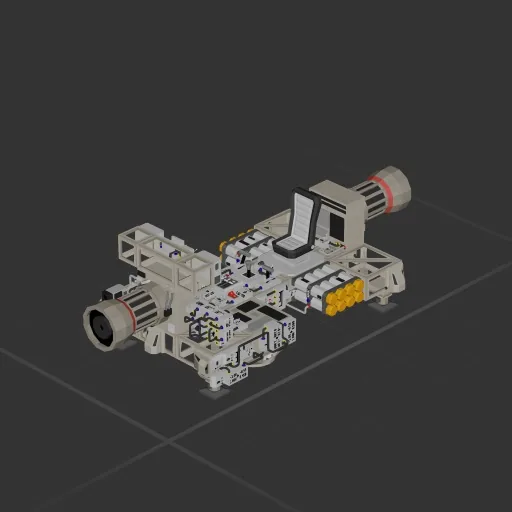
Automatic Planet Hopper

Workshop author: Taddsworth · Steam ↗

Shuttle Complete ship Medium

Automatic Planet Hopper

Specifications

436 Parts
40 Part types
10 Engines
327 Cable cells
14 Frames
95 Equipment parts

Engine mix

  • Lift fans2
  • Electric thrusters2
  • Maneuvering6

Equipment

  • Cockpit seat 1
  • Batteries 2
  • Logic circuits 13
  • Wireless links 26
  • Radar 1

Most used parts

  • Data Cable 175
  • Power Cable 152
  • Wireless Transmitter 26
  • Frame Full 8
  • Label 7
  • RCS Thruster 6
  • Constant 5
  • Multiplier 4

Author's description

When Control is enabled, the ship will full thrust forward when pointed at space or a target in the far distance. It uses the BPS to determine whether it needs to be thrusting forward or backward, and when it gets within the target distance (10Km) it controls velocity directly to zero. Has enough battery for Earth/Moon transit, but you can add more and maybe some solar panels to go further. ALMOST made it to saturn but I stopped accelerating too late and ran out of power on the braking burn. Sophisticated enough to point at a planet, hit the button for control, and walk away. Once you get there you might drift into the ground if you don't come back from afk quick enough because you may not be pointed straight up and down, but you can mitigate this by pointing directly at the center of the destination planet when you fire and forget. That should put you straight up and down on arrival. High grav targets may need an increased BPS remapper margin, currently only includes 5% which is sufficient margin for travel between the moon and earth.

How to install this ship

  1. Download the ZIP. Every download contains two files with matching names — a .bp and a .bpmeta. You need both: the .bp is the ship, the .bpmeta holds its name. A .bp on its own will not appear in the game.
  2. Unzip into the Blueprints folder. Paste %USERPROFILE%\AppData\LocalLow\ApproximatelyGames\ApproximatelyUp\Blueprints into Explorer's address bar and drop both files there. Keep their filenames exactly as they are — the game pairs them by name.
  3. Restart and open the blueprint menu. The game reads the folder on startup, so restart it. Open the blueprint menu, find the ship by its name and load it. Test it next to a garage before flying a mission.

Similar ships

IR EX-1
IR EX-1

IR EX-1

Killer_Potato

1,491 parts Medium

Shuttle

III kirk
III kirk

III kirk

raccoon

801 parts Medium

Shuttle